Linux commands
🚀 𝐀𝐛𝐨𝐮𝐭 𝐌𝐞 "Hi, I'm Ali masiu zama, a DevOps student passionate about cloud computing and automation. I'm currently learning AWS, Linux, Docker, and CI/CD pipelines, with a focus on automating workflows and building scalable solutions !
Table of contents
Show less
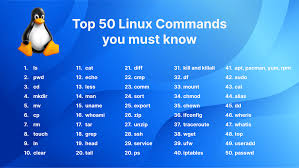
Here are some important Linux commands that are widely used for file management, system navigation, user management, and system administration:
1. File and Directory Management
ls: Lists files and directories in the current directory.- Example:
ls -l(detailed list),ls -a(includes hidden files)
- Example:
cd: Changes the current directory.- Example:
cd /home/user(navigate to/home/user)
- Example:
pwd: Prints the current working directory.- Example:
pwd
- Example:
mkdir: Creates a new directory.- Example:
mkdir new_directory
- Example:
rmdir: Removes an empty directory.- Example:
rmdir empty_directory
- Example:
rm: Removes files or directories.- Example:
rm file.txt,rm -r directory_name(removes directory with content)
- Example:
cp: Copies files or directories.- Example:
cp file1.txt file2.txt,cp -r dir1 dir2
- Example:
mv: Moves or renames files or directories.- Example:
mv oldname.txt newname.txt
- Example:
touch: Creates an empty file or updates file timestamp.- Example:
touch file.txt
- Example:
cat: Displays content of a file.- Example:
cat file.txt
- Example:
nano,vim: Opens file in text editors.- Example:
nano file.txt,vim file.txt
- Example:
find: Finds files and directories.- Example:
find / -name filename.txt
- Example:
grep: Searches for patterns within files.- Example:
grep 'pattern' file.txt,grep -r 'pattern' /path/to/directory
- Example:
2. File Permissions and Ownership
chmod: Changes file permissions.- Example:
chmod 755 file.txt,chmod u+xscript.sh
- Example:
chown: Changes file ownership.- Example:
chown user:group file.txt
- Example:
chgrp: Changes the group ownership of a file.- Example:
chgrp groupname file.txt
- Example:
3. Process Management
ps: Displays currently running processes.- Example:
ps aux,ps -ef
- Example:
top: Displays real-time system processes and resource usage.kill: Terminates a process by its process ID (PID).- Example:
kill 12345,kill -9 12345(force kill)
- Example:
pkill: Terminates processes by name.- Example:
pkill firefox
- Example:
bg/fg: Sends jobs to background (bg) or foreground (fg).
4. Disk and System Information
df: Displays disk space usage.- Example:
df -h
- Example:
du: Shows the size of files and directories.- Example:
du -sh directory_name
- Example:
free: Displays memory usage.- Example:
free -h
- Example:
uname: Displays system information.- Example:
uname -a
- Example:
uptime: Shows how long the system has been running.dmesg: Prints kernel and boot messages.who: Shows who is logged in.w: Displays system uptime and logged-in users.
5. Networking
ifconfig: Displays network interfaces and IP addresses.- Example:
ifconfig eth0
- Example:
ping: Sends ICMP echo request to a host.- Example:
pinggoogle.com
- Example:
netstat: Displays network connections, routing tables, and interface statistics.ssh: Securely connects to a remote machine.- Example:
ssh user@hostname
- Example:
scp: Copies files between local and remote systems.- Example:
scp file.txt user@remote:/path/to/destination
- Example:
wget/curl: Downloads files from the web.- Example:
wgethttp://example.com/file,curl -Ohttp://example.com/file
- Example:
ip: Shows/manages network configurations.- Example:
ip a,ip link show
- Example:
6. User Management
useradd: Adds a new user.- Example:
sudo useradd username
- Example:
passwd: Changes the password for a user.- Example:
passwd username
- Example:
usermod: Modifies an existing user account.- Example:
usermod -aG sudo username(add user to sudo group)
- Example:
userdel: Deletes a user account.- Example:
userdel username
- Example:
groupadd: Creates a new group.- Example:
groupadd groupname
- Example:
groups: Displays group memberships of a user.- Example:
groups username
- Example:
7. Archiving and Compression
tar: Archives files into a tarball (optionally compressed with gzip or bzip2).Example:
tar -cvf archive.tar file1 file2,tar -xvf archive.tarExample with compression:
tar -czvf archive.tar.gz directory/
gzip: Compresses files.- Example:
gzip file.txt,gunzip file.txt.gz
- Example:
zip/unzip: Compresses and extracts ZIP archives.- Example:
ziparchive.zipfile.txt,unziparchive.zip
- Example:
8. Package Management (Depends on the Distribution)
For Debian/Ubuntu-based systems:
apt-get install: Installs a package.- Example:
sudo apt-get install package_name
- Example:
apt-get update: Updates the package index.- Example:
sudo apt-get update
- Example:
apt-get upgrade: Upgrades installed packages.- Example:
sudo apt-get upgrade
- Example:
For Red Hat/CentOS-based systems:
yum install: Installs a package.- Example:
sudo yum install package_name
- Example:
yum update: Updates the package index and upgrades packages.- Example:
sudo yum update
- Example:
9. System Monitoring
htop: Interactive process viewer.iostat: Reports CPU, disk I/O, and network usage.vmstat: Reports virtual memory statistics.sar: Collects and reports system activity.
10. Shutdown/Restart
shutdown: Shuts down or reboots the system.- Example:
shutdown -h now(shutdown),shutdown -r now(reboot)
- Example:
reboot: Reboots the system immediately.- Example:
sudo reboot
- Example:
halt: Halts the system immediately.- Example:
sudo halt
- Example:
11. Advanced File Operations
stat: Displays detailed information about a file or file system.- Example:
stat file.txt
- Example:
ln: Creates hard or symbolic links to files.- Example:
ln file.txt link_to_file.txt(hard link),ln -s file.txt symlink.txt(symbolic link)
- Example:
basename/dirname: Extracts filename or directory path from a given path.Example:
basename /home/user/file.txt(outputsfile.txt)Example:
dirname /home/user/file.txt(outputs/home/user)
12. Disk and Partition Management
fdisk: Used to view and manage disk partitions.- Example:
fdisk /dev/sda
- Example:
parted: Another tool for partition management, especially for large disks.- Example:
parted /dev/sda
- Example:
mkfs: Formats a partition with a specified filesystem.- Example:
mkfs.ext4 /dev/sda1
- Example:
mount/umount: Mounts or unmounts a file system.- Example:
mount /dev/sda1 /mnt,umount /mnt
- Example:
blkid: Shows UUIDs and details about block devices.- Example:
blkid /dev/sda1
- Example:
lsblk: Lists information about block devices (disks and partitions).- Example:
lsblk
- Example:
13. System Resource and Performance Monitoring
iotop: Displays real-time disk I/O usage.- Example:
sudo iotop
- Example:
strace: Traces system calls and signals used by a command.- Example:
strace -p <PID>,strace ls
- Example:
lsof: Lists open files and the processes that opened them (useful for checking which files are in use).- Example:
lsof | grep filename,lsof -i :80(lists processes using port 80)
- Example:
ncdu: Disk usage analyzer, an easy-to-read alternative todu.- Example:
ncdu /home
- Example:
sysctl: Views or modifies kernel parameters.- Example:
sysctl -a(shows all kernel parameters),sysctl vm.swappiness=10(changes swappiness parameter)
- Example:
watch: Runs a command repeatedly at regular intervals and displays the output.- Example:
watch -n 5 df -h(runsdf -hevery 5 seconds)
- Example:
14. Networking and Internet Tools
traceroute: Tracks the route packets take to a network host.- Example:
traceroutegoogle.com
- Example:
nc(netcat): Reads and writes data across network connections (a Swiss-army knife for network-related tasks).- Example:
nc -l 12345(listens on port 12345),ncgoogle.com80(connects to google on port 80)
- Example:
dig: DNS lookup utility (more advanced thannslookup).- Example:
diggoogle.com
- Example:
hostname: Shows or sets the system's hostname.- Example:
hostname,hostnamectl set-hostname newhostname
- Example:
arp: Shows the system's ARP (Address Resolution Protocol) table.- Example:
arp -a
- Example:
ss: Displays socket statistics, more modern thannetstat.- Example:
ss -tuln(shows open ports and services)
- Example:
15. System Logs and Debugging
journalctl: Views system logs onsystemdsystems.- Example:
journalctl -xe(view recent logs with errors),journalctl -b(view logs since last boot)
- Example:
tail: Displays the last lines of a file (often used for logs).- Example:
tail -f /var/log/syslog(live view of log file)
- Example:
dstat: Combines the functionality ofvmstat,iostat, andnetstatin real-time.- Example:
dstat
- Example:
last: Shows the login history of users.- Example:
last
- Example:
logrotate: Rotates, compresses, and removes old logs automatically (usually run in cron jobs).
16. Scripting and Automation
cron: Schedules tasks to run periodically (usingcrontab).- Example:
crontab -e(edit user crontab),crontab -l(list cron jobs)
- Example:
at: Schedules a task to run at a specific time (only once).- Example:
echo "shutdown -h now" | at 22:00
- Example:
alias: Creates shortcuts for long commands.- Example:
alias ll='ls -lah'
- Example:
export: Exports an environment variable.- Example:
export PATH=$PATH:/usr/local/bin
- Example:
source: Executes commands from a file in the current shell.- Example:
source ~/.bashrc
- Example:
awk: A powerful text processing tool for extracting and manipulating text.- Example:
awk '{print $1}' file.txt
- Example:
sed: Stream editor for filtering and transforming text.- Example:
sed 's/oldtext/newtext/g' file.txt
- Example:
17. Security and Permissions
sudo: Runs a command as the superuser (root).- Example:
sudo apt-get update
- Example:
su: Switches to another user.- Example:
su - username
- Example:
umask: Sets default permissions for newly created files and directories.- Example:
umask 022
- Example:
setfacl/getfacl: Manages Access Control Lists (ACLs) for fine-grained file permissions.- Example:
setfacl -m u:username:rwx file.txt,getfacl file.txt
- Example:
18. Backup and Recovery
rsync: Synchronizes files and directories between two locations efficiently.- Example:
rsync -avh /source/ /destination/
- Example:
dd: Copies and converts files at a low level, often used for backups or disk cloning.- Example:
dd if=/dev/sda of=/path/to/backup.img bs=64K
- Example:
fsck: Checks and repairs file system consistency.- Example:
fsck /dev/sda1
- Example:
19. Virtualization and Containers
docker: Manages containerized applications.- Example:
docker run -it ubuntu bash,docker ps(list running containers)
- Example:
virt-install: Installs virtual machines via command line (forlibvirt/KVM).- Example:
virt-install --name vm1 --ram 1024 --vcpus 1 --disk path=/var/lib/libvirt/images/vm1.img,size=10
- Example:
vagrant: Automates the setup of virtualized development environments.- Example:
vagrant up,vagrant ssh
- Example:
20. System Control and Administration
systemctl: Manages systemd services (starting, stopping, enabling, disabling services).- Example:
systemctl start apache2,systemctl enable apache2,systemctl status apache2
- Example:
timedatectl: Configures date, time, and timezone settings.- Example:
timedatectl set-timezone America/New_York
- Example:
hostnamectl: Changes the system hostname and related settings.- Example:
hostnamectl set-hostname newhostname
- Example:
modprobe: Loads or unloads kernel modules.- Example:
modprobe module_name
- Example:
sysfs: Interacts with system hardware information exposed through/sys.- Example:
cat /sys/class/net/eth0/speed
- Example:
21. Networking Tools
mtr: Combines the functionality oftracerouteandpingto diagnose network issues.- Example:
mtrgoogle.com
- Example:
iftop: Displays bandwidth usage by network interface.- Example:
sudo iftop -i eth0
- Example:
tcpdump: Captures and analyzes network packets.- Example:
sudo tcpdump -i eth0,tcpdump port 80
- Example:
iptraf-ng: An interactive, real-time network monitoring utility.ethtool: Displays or changes network interface card (NIC) settings.- Example:
sudo ethtool eth0
- Example:
ufw: Manages uncomplicated firewall settings (commonly used in Ubuntu).- Example:
sudo ufw allow 22,sudo ufw enable
- Example:
firewalld: Firewall management tool used in RedHat/CentOS.- Example:
sudo firewall-cmd --permanent --add-port=8080/tcp
- Example:
22. Filesystem and Storage Management
lsattr: Lists attributes of files and directories.- Example:
lsattr file.txt
- Example:
chattr: Changes file attributes, for example, to make a file immutable.- Example:
chattr +i file.txt
- Example:
xfs_admin: Manages XFS file systems (resizing, repairing, etc.).- Example:
xfs_admin -L new_label /dev/sda1
- Example:
quota: Displays disk quotas and user limits on filesystems.- Example:
quota -u username
- Example:
lvm: Logical Volume Manager commands likelvcreate,vgextend, etc.- Example:
lvcreate -L 10G -n lv_data vg1,lvextend -L +5G /dev/vg1/lv_data
- Example:
cryptsetup: Sets up encrypted filesystems using LUKS (Linux Unified Key Setup).- Example:
cryptsetup luksFormat /dev/sda1,cryptsetup luksOpen /dev/sda1 secure_drive
- Example:
23. Development and Debugging Tools
gdb: GNU Debugger, used for debugging programs.- Example:
gdb ./program,gdb --pid=<PID>
- Example:
objdump: Displays detailed information about binary files.- Example:
objdump -d binary_file
- Example:
ldd: Displays shared library dependencies for executable files.- Example:
ldd /bin/ls
- Example:
valgrind: A tool for memory debugging, memory leak detection, and profiling.- Example:
valgrind ./program
- Example:
nm: Displays symbols from object files.- Example:
nm a.out
- Example:
strace: Tracks system calls and signals a process makes.- Example:
strace -p <PID>
- Example:
24. Package Management Tools
dpkg: Low-level package management for Debian-based distributions (like Ubuntu).- Example:
dpkg -i package.deb,dpkg -l(list installed packages)
- Example:
rpm: Low-level package management for Red Hat-based distributions.- Example:
rpm -ivh package.rpm,rpm -qa(list installed packages)
- Example:
yum: High-level package manager for Red Hat/CentOS (predecessor ofdnf).- Example:
yum search package_name,yum remove package_name
- Example:
dnf: Modern package manager for Red Hat/CentOS/Fedora.- Example:
dnf install package_name,dnf update
- Example:
snap: Manages snap packages, often used for containerized applications.- Example:
snap install package_name,snap list
- Example:
flatpak: Another framework for distributing desktop applications in containers.- Example:
flatpak install package_name
- Example:
25. Containers and Virtualization
virsh: CLI interface for managing virtual machines using libvirt.- Example:
virsh list --all,virsh start vm1
- Example:
kvm: Manages kernel-based virtual machines.- Example:
kvm -hda disk.img -m 512 -net nic -net user
- Example:
docker-compose: Manages multi-container Docker applications using YAML configuration files.- Example:
docker-compose up,docker-compose down
- Example:
podman: A daemonless container engine that is compatible with Docker.- Example:
podman run -it fedora,podman ps
- Example:
lxc: Linux Containers toolset, alternative to Docker for containerization.- Example:
lxc-create -n container -t download,lxc-start -n container
- Example:
26. Performance Monitoring
perf: Performance analysis tool for Linux, particularly useful for kernel developers.- Example:
perf top,perf record -a
- Example:
sar: Collects and reports system activity information.- Example:
sar -u 1 3(CPU utilization over 1-second intervals)
- Example:
iotop: Real-time disk I/O monitoring by process.- Example:
iotop
- Example:
latencytop: Identifies latency issues in your system.dstat: A versatile resource monitoring tool that combines features ofvmstat,iostat, andnetstat.- Example:
dstat --cpu --io --net
- Example:
27. Security and Cryptography
fail2ban: Protects your server from brute-force attacks by blocking IP addresses.- Example:
sudo fail2ban-client status,sudo fail2ban-client set sshd banip <IP>
- Example:
gpg: GNU Privacy Guard for encrypting and signing files or messages.- Example:
gpg --gen-key,gpg -e -r recipient file.txt
- Example:
openssl: Toolset for SSL/TLS, certificates, and cryptography functions.- Example:
openssl genpkey -algorithm RSA -out private.pem
- Example:
nmap: A powerful network scanning tool for security auditing and network exploration.- Example:
nmap -A 192.168.1.1
- Example:
28. Miscellaneous
tldr: Displays simplified and practical examples of common commands.- Example:
tldr tar
- Example:
bc: A command-line calculator supporting floating-point arithmetic.- Example:
echo "scale=2; 10/3" | bc
- Example:
yes: Continuously outputs a string until terminated.- Example:
yes "I agree"
- Example:
shuf: Generates random permutations from input lines.- Example:
shuf -n 1 file.txt(outputs a random line from a file)
- Example:
units: Converts between different units of measurement.- Example:
units '10 miles' 'kilometers'
- Example:
tree: Displays a directory structure in a tree-like format.- Example:
tree /path/to/directory
- Example:
alias: Defines a shortcut for a command.- Example:
alias ll='ls -la'
- Example:
30. Specialized File Management Commands
split: Splits a file into smaller chunks.- Example:
split -b 100M largefile.bin part_(splits a file into 100 MB chunks)
- Example:
shred: Securely deletes a file by overwriting it multiple times.- Example:
shred -u file.txt
- Example:
rev: Reverses the characters in each line of a file.- Example:
echo "hello" | rev(outputsolleh)
- Example:
rename: Renames multiple files using a regular expression.- Example:
rename 's/\.txt$/.bak/' *.txt(renames.txtfiles to.bak)
- Example:
xxd: Converts a file to hexadecimal and back.- Example:
xxd file.txt,xxd -r file.hex
- Example:
31. Advanced Scripting and Text Processing
xargs: Constructs argument lists and passes them to a command.- Example:
find . -name '*.txt' | xargs rm(removes all.txtfiles)
- Example:
tee: Reads from standard input and writes to both standard output and a file.- Example:
echo "hello" | tee output.txt(writes "hello" to both terminal and file)
- Example:
paste: Merges lines of files horizontally.- Example:
paste file1.txt file2.txt(merges lines from both files side-by-side)
- Example:
comm: Compares two sorted files line by line.- Example:
comm file1.txt file2.txt
- Example:
tac: Displays the contents of a file in reverse order (last line first).- Example:
tac file.txt
- Example:
expr: Evaluates expressions (useful in shell scripts for arithmetic).- Example:
expr 1 + 2
- Example:
bc: Command-line calculator.- Example:
echo "2^10" | bc
- Example:
tr: Translates or deletes characters in input.- Example:
echo "HELLO" | tr 'A-Z' 'a-z'(converts to lowercase)
- Example:
32. Terminal Utilities and Shortcuts
tmux: Terminal multiplexer to manage multiple terminal sessions.- Example:
tmux(starts a new session),tmux attach(reattaches to an existing session)
- Example:
screen: Another terminal multiplexer, similar totmux.- Example:
screen(starts a new session),screen -r(reattaches to a session)
- Example:
reset: Resets the terminal display and clears any weird states.- Example:
reset
- Example:
script: Records a terminal session to a file.- Example:
script session.txt
- Example:
yes: Repeats a string until terminated.- Example:
yes "agree"(repeats "agree" until stopped with Ctrl+C)
- Example:
33. System Monitoring and Information
lsmod: Lists loaded kernel modules.- Example:
lsmod
- Example:
uptime: Displays system uptime and load averages.- Example:
uptime
- Example:
lshw: Lists detailed hardware information.- Example:
sudo lshw
- Example:
inxi: Displays detailed system information (including CPU, GPU, RAM, etc.).- Example:
inxi -Fx
- Example:
acpi: Displays battery status and thermal information (useful for laptops).- Example:
acpi -b
- Example:
lsof: Lists open files and processes using them.- Example:
lsof /dev/sda1
- Example:
dmesg: Displays kernel-related messages (especially useful for debugging hardware issues).- Example:
dmesg | grep error
- Example:
vmstat: Reports virtual memory, process, and CPU activity.- Example:
vmstat 5(reports every 5 seconds)
- Example:
watch: Executes a command repeatedly and displays the output.- Example:
watch -n 2 df -h(runsdf -hevery 2 seconds)
- Example:
34. Networking and Connectivity Tools
whois: Queries domain registration information.- Example:
whoisgoogle.com
- Example:
host: Performs DNS lookups.- Example:
hostgoogle.com
- Example:
iwconfig: Configures wireless network interfaces (similar toifconfigbut for wireless).- Example:
iwconfig wlan0
- Example:
w: Displays who is logged into the system and their activities.- Example:
w
- Example:
ip addr: Shows detailed network interface information (replacement forifconfig).- Example:
ip addr show
- Example:
ip route: Manages routing tables.- Example:
ip route add 192.168.1.0/24 via 192.168.0.1
- Example:
35. Process and System Control
pkill: Sends a signal to a process by its name (alternative tokill).- Example:
pkill firefox
- Example:
renice: Alters the scheduling priority of a running process.- Example:
renice +5 -p <PID>
- Example:
fg: Brings a background process to the foreground.- Example:
fg %1(brings job 1 to the foreground)
- Example:
bg: Resumes a suspended job in the background.- Example:
bg %1(resumes job 1 in the background)
- Example:
36. User and Group Management
groups: Shows the groups a user is part of.- Example:
groups username
- Example:
useradd: Adds a new user.- Example:
sudo useradd -m username
- Example:
usermod: Modifies a user account.- Example:
usermod -aG sudo username
- Example:
passwd: Changes a user's password.- Example:
passwd username
- Example:
chage: Changes user password expiration information.- Example:
sudo chage -l username
- Example:
37. System Maintenance and Troubleshooting
fsck: Checks and repairs file system inconsistencies.- Example:
fsck /dev/sda1
- Example:
badblocks: Searches for bad sectors on a disk.- Example:
sudo badblocks -v /dev/sda1
- Example:
smartctl: Monitors the health of hard drives and SSDs via S.M.A.R.T.- Example:
sudo smartctl -a /dev/sda
- Example:
iotop: Displays disk I/O usage by processes in real time.- Example:
iotop
- Example:
38. Archiving and Compression
tar: Archive files into a tarball or extract files.- Example:
tar -czvf archive.tar.gz folder/,tar -xvzf archive.tar.gz
- Example:
gzip: Compresses or decompresses files.- Example:
gzip file.txt,gunzip file.txt.gz
- Example:
bzip2: Compresses files using the Burrows-Wheeler block-sorting text compression algorithm.- Example:
bzip2 file.txt
- Example:
xz: Compresses files with higher compression thangziporbzip2.- Example:
xz file.txt
- Example:
unzip: Extracts files from a ZIP archive.- Example:
unziparchive.zip
- Example:
39. Date and Time
date: Displays or sets the system date and time.- Example:
date,date --set="2024-10-11 10:30"
- Example:
cal: Displays a calendar.- Example:
cal
- Example:
ntpq: Monitors NTP daemon and shows the status of time synchronization.- Example:
ntpq -p
- Example:
40. Miscellaneous Useful Commands
flock: Manages file locking in shell scripts.- Example:
flock /tmp/mylockfile command
- Example:
chroot: Changes the root directory for a process (used for system recovery and containers).- Example:
chroot /mnt/recovery /bin/bash
- Example:
ncdu: Disk usage analyzer with a text-based user interface (faster alternative todu).- Example:
ncdu /home
- Example:
hexdump: Displays file contents in hexadecimal, decimaluptime: Displays system uptime, load averages, and number of users logged in.- Example:
uptime
- Example:
alias: Creates a shortcut for a command.- Example:
alias ll='ls -la'
- Example:
bc: A command-line calculator.- Example:
echo "5 * 7" | bc
- Example:
env: Displays environment variables.- Example:
env
- Example:


